AI Agent Social Media Images: Render and Schedule by MCP

AI agent social media images used to mean asking a chatbot to draw something and hoping it looked like your brand. There's a better split. Let the agent render each image from your own template through the imejis MCP server, so every card is on-brand by construction, and let a scheduler's MCP server post it. The agent connects the two; neither tool has to do the other's job.
Here's the job we tested it on. A design studio wants one tip card per week for each client, in the client's colors, scheduled for Monday morning. Instead of a designer exporting cards, someone types one sentence to an agent: "make this week's tip card for Northside Studio and schedule it for Monday at 9:30."
What the agent does
Four moves, two servers.
- Find the design (imejis MCP): look up the tip-card template in the imejis library.
- Read its fields (imejis MCP): learn which text and image fields can change.
- Render (imejis MCP): fill in the tip, name and avatar, and get back a hosted image URL.
- Schedule (the scheduler's MCP): pass that URL to Postiz or Mixpost, which imports the image and schedules the post.
imejis owns steps 1 to 3. The scheduler owns step 4. imejis never posts anything itself.
The imejis half, from a real session
We ran this half for real while writing this post, through the imejis MCP server. These are the actual tool calls and what came back.
Find the design. The agent called list_designs with nameContains: "quote", and the library returned a dozen quote-style designs with their ids and sizes. One was a plain-quote tweet card at 1200 by 1200, a good square for LinkedIn and Instagram.
Read the fields. It called get_design_render_config on that design. The response listed every dynamic field, including content.text, name.text, username.text and profile.image. That's how the agent knows exactly what it's allowed to change, so it doesn't guess at keys.
Render. It called get_stored_image_url with delivery: "hosted" and these overrides:
{
  "content.text": "Your homepage has five seconds. Spend them on what the customer gets, not on what you built.",
  "name.text": "Northside Studio",
  "username.text": "@northsidestudio",
  "profile.image": "https://www.imejis.io/icon.png"
}
The tool answered with a public URL and the file details, and counted one render:
{
  "url": "https://storage.googleapis.com/imejis/hosted-exports/mMZTXGFrWwCLf8-28zPO_/1795699652971.png",
  "delivery": "hosted",
  "format": "png",
  "file": { "bucket": "imejis", "path": "hosted-exports/mMZTXGFrWwCLf8-28zPO_/1795699652971.png", "size": 92455 }
}
This is that image:
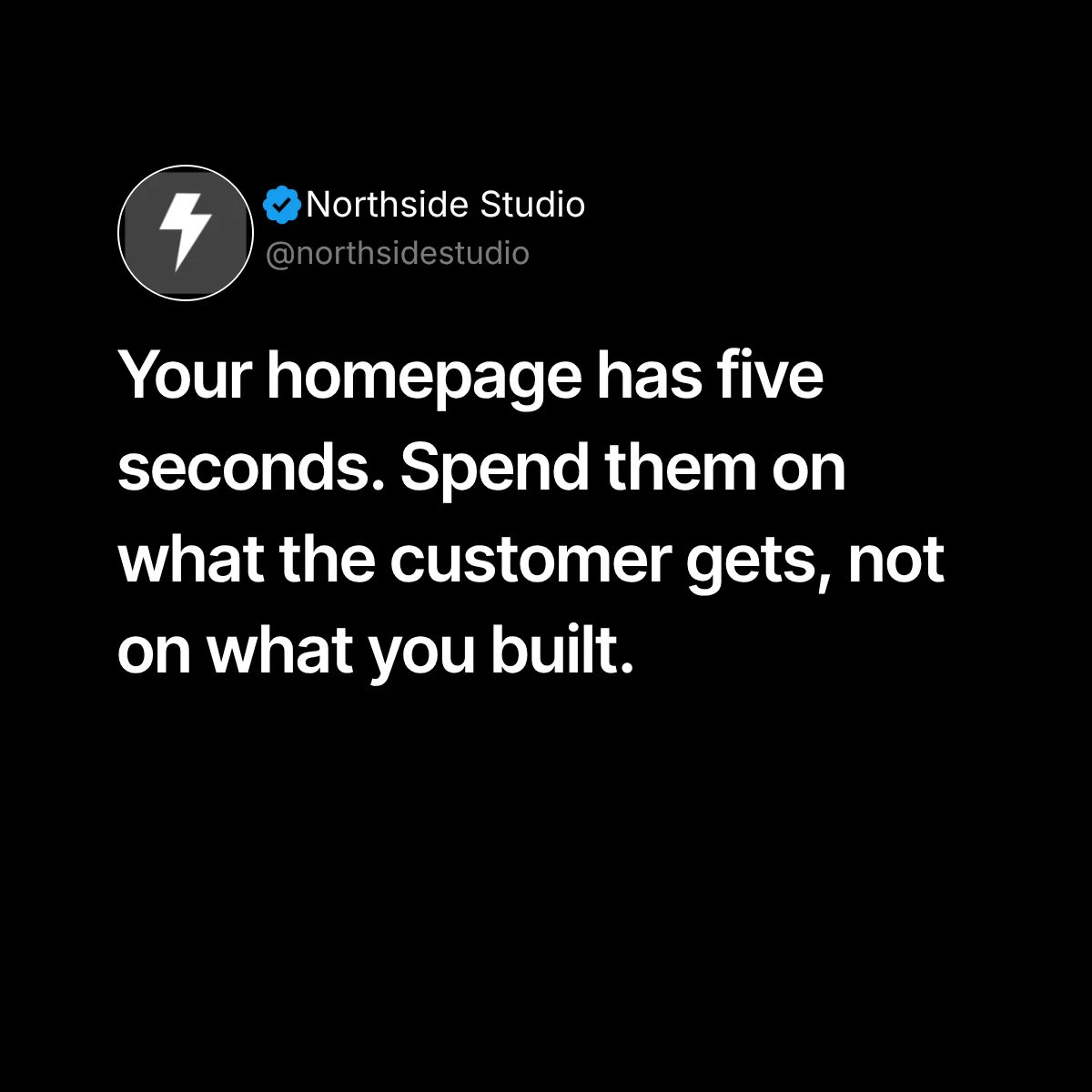
Notice what the agent didn't do: it didn't draw anything. It filled four fields on a design a person made once. Next week's card is the same three calls with a new tip, and it'll match this one exactly.
The scheduler half: hand the URL to a scheduler's MCP
The hosted URL is the handoff. Any scheduler that can import an image from a URL can take it from here, and two popular open-source ones ship their own MCP servers: see the Postiz MCP docs and the Mixpost MCP docs.
| Scheduler | Its MCP server | How it takes the image | Edition needed |
|---|---|---|---|
| Postiz | Hosted, or /mcp on a self-hosted backend | Upload from URL, then schedule | Any, with a Postiz API key |
| Mixpost | Built in, at /mcp on your install | Create a post with media | Pro or Enterprise |
With Postiz connected, the agent passes the imejis URL to its upload-from-URL tool, gets back a media id and path, and calls its scheduling tool with the channel, the caption and the time. With Mixpost connected, the agent drafts or schedules the post through Mixpost's create-post tool. Either way, the scheduler stores the image, puts the post on its calendar, and publishes it.
Prefer the plain API to an agent for the posting step? The same split works there. See the step-by-step guides for Postiz and Mixpost.
Connect the imejis MCP server
Add https://api.imejis.io/api/mcp as a remote MCP server in your client, then approve the imejis sign-in the first time a tool runs. In Claude that's Settings, Connectors, Add custom connector. Cursor, ChatGPT and other clients have the same option under their MCP or connector settings.
There's no API key to paste. The server uses OAuth, so the token stays inside your AI client and acts as your account. For the full setup, prompts, and troubleshooting, see the imejis MCP guide, and the agent connect hub has one-click instructions per client.
Then connect your scheduler's MCP server the same way, using that product's own URL and sign-in.
Prompts that work
Start narrow, then let the agent take more of the job.
List my imejis designs with "quote" in the name, then show the dynamic
fields for the square one.
Render that design with this tip: "Your homepage has five seconds..."
Name: Northside Studio, handle @northsidestudio. Give me a hosted URL.Make this week's tip card for each client in clients.csv, using each
client's name and handle, and schedule each one in Postiz for Monday
09:30 on that client's LinkedIn channel.The last one is the hands-off version. The agent loops: render a card through imejis, hand the URL to the scheduler, move on to the next client.
Agent, workflow, or both?
| Approach | Best for | Who runs it |
|---|---|---|
| Agent with two MCPs | Ad hoc batches, changing copy, one-off posts | You, in a sentence |
| Workflow (n8n, Activepieces) | A fixed daily or weekly schedule | The workflow, with nobody in it |
| Both | Agent builds the workflow, workflow runs it | Agent once, workflow after |
If the job repeats on a fixed rhythm, a workflow is cheaper and more predictable than asking an agent every day. Many people end up with the third row: the agent designs the template and writes the workflow, then gets out of the loop. Guides for that route: n8n and Activepieces.
Common issues and fixes
- The agent invents field names. Ask it to call
get_design_render_configfirst. Only fields marked dynamic in the design can change. - The scheduler can't fetch the image. The agent used a signed or expired URL. Ask for
delivery: "hosted", which stays public and permanent. - Previews are eating renders. Every preview is a full render. Have the agent batch its fixes rather than previewing after each tiny change.
- The card is the wrong size for a platform. Sizes are fixed per design. Keep one design per size and have the agent pick the right one.
- The post went out without approval. Use the scheduler's draft or approval mode, and let the agent create drafts while a person schedules them.
What it costs
Each card the agent renders is one render on your imejis plan, the same as an API call. Ten clients posting weekly is about 43 renders a month, well inside the free tier's 100 renders. The scheduler side depends on the product: Postiz is free to self-host, and Mixpost's API and MCP come with its Pro edition. See pricing for imejis plans.
Next steps
Connect the imejis MCP server, ask your agent to list your designs, and render one card by hand. Once that works, connect your scheduler's MCP and try the batch prompt on two clients. The image generation API docs explain fields and delivery modes if you want to see what the agent is calling under the hood.