Mixpost Image Automation: Attach Branded Images by URL

Mixpost image automation comes down to one endpoint. Mixpost can download media from a URL, and imejis renders a branded image straight to a URL, so the two fit together with no file handling in between. You render the card, hand Mixpost the link, and schedule the post with the media attached.
Here's the job this is built for. A three-person agency runs a self-hosted Mixpost for its clients and posts a weekly tip card for each one. Same layout every week, new tip, client name and handle swapped in. Doing that by hand meant a design file per client and an afternoon of exporting. With this pipeline, a spreadsheet row becomes a scheduled post.
What you'll build
Four calls, in order. imejis does the first; Mixpost does the rest.
- Render: imejis turns the tip into a branded PNG and returns a hosted URL.
- Import: Mixpost's remote upload downloads that URL into its media library and returns a media id.
- Find accounts: you look up the Mixpost account ids you're posting to (once).
- Schedule: you create the post with the media id, a date, a time and a timezone.
Here's the card the render step makes. We rendered it from a real imejis design while writing this, overriding only the tip, the studio name, the handle and the avatar:
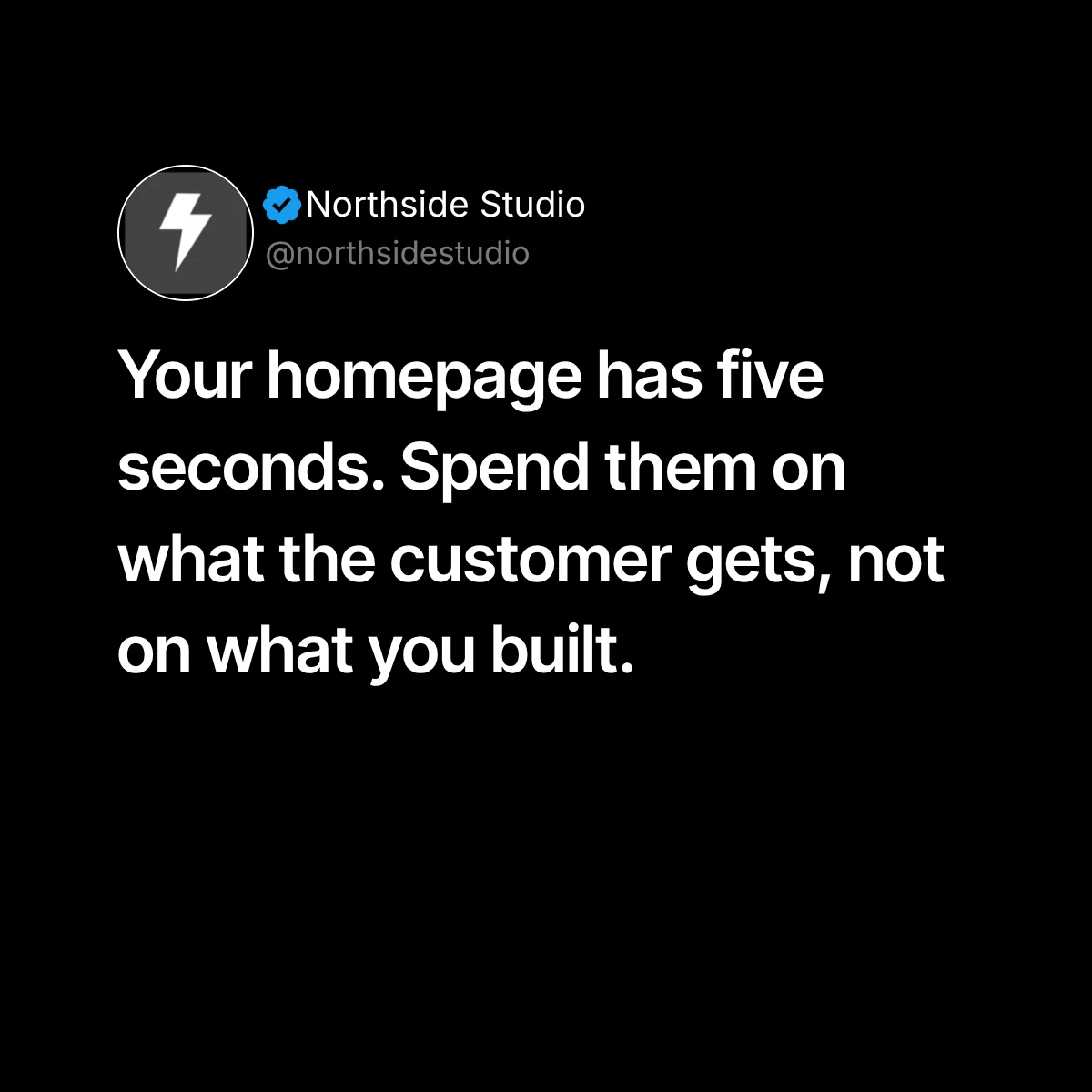
Next week's card is the same render call with a new tip. That's the difference between a template and a prompt: the layout never drifts.
Before you start: which Mixpost you need
The API is the part that matters, and it isn't in every edition. As of November 2026, Mixpost lists it like this:
| Edition | Hosting | REST API and MCP |
|---|---|---|
| Lite | Self-hosted | Not listed (attach images by hand) |
| Pro and Enterprise | Self-hosted | Included |
| Cloud | Hosted | On plans that include the API |
If you're on Lite, you can still render the cards with imejis and drop them into the media library yourself. Everything below assumes Pro, Enterprise, or a Cloud plan with API access.
You'll also need:
- A Mixpost personal API key. In Mixpost, open the user menu, choose API, then Create a personal key. It's shown once, so copy it then.
- Your workspace UUID. Every API path includes it. It's in the dashboard URL, or
GET /api/workspaceslists it. - An imejis account with a render API key, sent as the
dma-api-keyheader. - One imejis design with its changing fields marked dynamic. The quote image maker is a quick place to start.
Your API base is https://your-mixpost-domain/api when self-hosted. If Mixpost runs under a path prefix, keep the prefix in every URL.
Step 1: Render the card with imejis
Call the design's render endpoint and ask for a hosted URL. delivery=hosted goes on the query string; the JSON body carries only the field overrides:
curl -X POST "https://render.imejis.io/v1/YOUR_DESIGN_ID?delivery=hosted" \
  -H "dma-api-key: YOUR_IMEJIS_KEY" \
  -H "Content-Type: application/json" \
  -d '{
    "content.text": "Your homepage has five seconds. Spend them on what the customer gets, not on what you built.",
    "name.text": "Northside Studio",
    "username.text": "@northsidestudio"
  }'
The response carries the URL you'll pass to Mixpost:
{
  "success": true,
  "delivery": "hosted",
  "url": "https://storage.googleapis.com/imejis/hosted-exports/....jpg",
  "format": "jpeg",
  "file": { "bucket": "imejis", "path": "hosted-exports/....jpg", "size": 74398 }
}
Add format=png to the query string if you want a PNG instead of the default JPEG.
The field keys are the ones in our example design; use your own design's keys from its render config. Two things we've found trip people up: the render endpoint authenticates with dma-api-key only (not a bearer token), and a delivery key in the body is ignored.
Step 2: Import the image into Mixpost by URL
Send the hosted URL to Mixpost's remote upload. Mixpost downloads the file into the workspace's media library:
curl -X POST "https://your-mixpost-domain/api/YOUR_WORKSPACE_UUID/media/remote/initiate" \
  -H "Authorization: Bearer YOUR_MIXPOST_KEY" \
  -H "Accept: application/json" \
  -H "Content-Type: application/json" \
  -d '{ "url": "https://storage.googleapis.com/imejis/hosted-exports/....jpg", "alt_text": "Weekly tip card for Northside Studio" }'
For a file under 10 MB, which a social card always is, Mixpost finishes the download inside the request and answers with the media record:
{ "status": "completed", "media": { "id": 42, "uuid": "...", "type": "image", "url": "https://.../42.png" } }Keep media.id. That integer is what the post references.
If the response says "status": "pending" instead, it includes a download_id. Poll GET /api/YOUR_WORKSPACE_UUID/media/remote/DOWNLOAD_ID/status until it reports completed. Read the media from that response and store it right away, because Mixpost hands back a finished result only once. The next poll returns 404.
Mixpost also accepts a direct multipart upload to POST /api/YOUR_WORKSPACE_UUID/media with the field file, if you'd rather send the bytes. For this pipeline the URL route is simpler: no download step in your workflow, no temp files.
Step 3: Get the account ids
Mixpost calls each connected social profile an account. List them once and note the integer id of every profile you'll post to:
curl "https://your-mixpost-domain/api/YOUR_WORKSPACE_UUID/accounts" \
  -H "Authorization: Bearer YOUR_MIXPOST_KEY" \
  -H "Accept: application/json"
Each entry includes id, name, username, and provider (such as instagram or linkedin). For the agency, that's one account id per client profile.
Step 4: Create the scheduled post
Create the post with the media id in its content, then set the date, time and timezone. Mixpost always creates a post as a draft first; it's scheduled only when it has a date and time, at least one account, and "schedule": true:
curl -X POST "https://your-mixpost-domain/api/YOUR_WORKSPACE_UUID/posts" \
  -H "Authorization: Bearer YOUR_MIXPOST_KEY" \
  -H "Accept: application/json" \
  -H "Content-Type: application/json" \
  -d '{
    "date": "2026-12-01",
    "time": "09:30",
    "timezone": "Europe/London",
    "schedule": true,
    "accounts": [6],
    "versions": [
      {
        "account_id": 0,
        "is_original": true,
        "content": [
          { "body": "This week: the five-second homepage test.", "url": null, "media": [42], "video_thumbs": [] }
        ]
      }
    ]
  }'
account_id: 0 marks the original version that every account uses. To give one profile different text, add another version with that account's id. Two alternatives to a fixed time: "schedule_now": true publishes immediately, and "queue": true drops the post into the next free slot in your Mixpost queue.
If the user behind the API key can't approve posts, the post lands as needs_approval instead of scheduled. That's a feature for agencies: render and draft automatically, and let a person sign off.
Run it on a schedule
Any tool that makes HTTP calls can run this weekly. In n8n it's a Schedule Trigger, a node that reads the week's tips, then three HTTP Request nodes: imejis render, Mixpost remote upload (URL from {{ $json.url }}), and Mixpost create post (media from {{ $json.media.id }}). Store the Mixpost key as a Header Auth credential with the value Bearer YOUR_MIXPOST_KEY. There's also a community n8n-nodes-mixpost package if you'd rather not hand-build the Mixpost calls. For the imejis node with screenshots, see generating images in n8n from a template.
Or automate it with MCP
Mixpost Pro ships a built-in MCP server, and so does imejis. Connect both to Claude, Cursor or another MCP client, and an agent can do the whole loop from a sentence like "make this week's tip cards for all three clients and queue them."
The agent does the imejis side through the imejis MCP, rendering each card from your design and returning hosted URLs. Mixpost's MCP then drafts, schedules or queues the posts. imejis never schedules or publishes anything; Mixpost does. Set up the imejis side from the agent connect hub, and see generating images with Claude over MCP for a walkthrough.
Common issues and fixes
- 401 from Mixpost. Check the header is
Authorization: Bearer YOUR_KEY. Mixpost doesn't accept the key in a query string. - 401 from imejis. The render endpoint reads only
dma-api-key. - Remote upload fails. The URL wasn't public or had expired. Use
delivery=hosted, never a signed URL that might lapse. - The status poll returns 404. You already read the finished result once, or more than an hour passed. Start a new remote upload, and save the media the first time.
- The post stayed a draft. You sent
schedule: truewithout a date and time, or with no accounts. All three are needed. - 422 when scheduling. The post fails a platform rule, such as an image the network won't accept. Drafts skip that check, scheduled posts don't.
- 429 Too Many Requests. Wait for the
Retry-Afterheader before retrying.
What it costs
Each card is one render on your imejis plan. Three clients posting weekly is about 13 renders a month, well inside the free tier's 100 renders. The Mixpost side depends on your edition, since the API isn't in the free Lite version. See imejis pricing for render plans.
Next steps
Run the four calls once by hand for one client, check the post in the Mixpost calendar, then schedule it. Add a second design for a different post type, or a second version for one platform's caption. The image generation API docs explain the field model, and the Mixpost API reference covers every post option. If you're comparing schedulers, the same render call works with Postiz, which imports images by URL too.