n8n: Add an Image to a Social Post (3 Ways That Work)

To add an image to a social post in n8n, give each posting step the image in the form it actually reads. Some nodes want the image file in n8n's binary data (LinkedIn is one). Others want a URL they download later (the Facebook Graph API's url field, Instagram, schedulers like Postiz). Most broken image posts come down to crossing those wires: a URL handed to a file-only node, or a short-lived URL handed to a service that fetches it an hour later.
Here's the job this guide is built around. A newsletter writer renders one branded card each morning in n8n and posts it to LinkedIn and her Facebook Page. Some days it works. Some days LinkedIn rejects the step, or Facebook shows a post with no picture. Nothing in the workflow changed, which is exactly why it's maddening.
Which format does each social node want?
Each n8n posting step reads the image as either a file or a URL, and it's worth checking which before you build. We read these straight from n8n's own node definitions (n8n 2.49).
| Destination | What it reads | How to feed it from imejis |
|---|---|---|
| LinkedIn node (Create post, Image) | A file, from the Input Binary Field | Render as a file (no delivery) |
| Facebook Graph API node | A file (Send Binary File), or a url field | File, or a hosted URL |
| Instagram (Graph API) | A public image_url that Meta downloads | Hosted URL |
| X node (v2) | A Media ID from a separate upload | Upload the file first, then pass the ID |
| Schedulers (Postiz, Mixpost) | A URL they import, or an upload | Hosted URL |
The X node is the odd one: its attachments field takes a media ID, and the node shows a notice that attachments aren't supported due to X API v2 limits. Meta's Instagram content publishing docs spell out that the image must sit at a public URL Meta can reach.
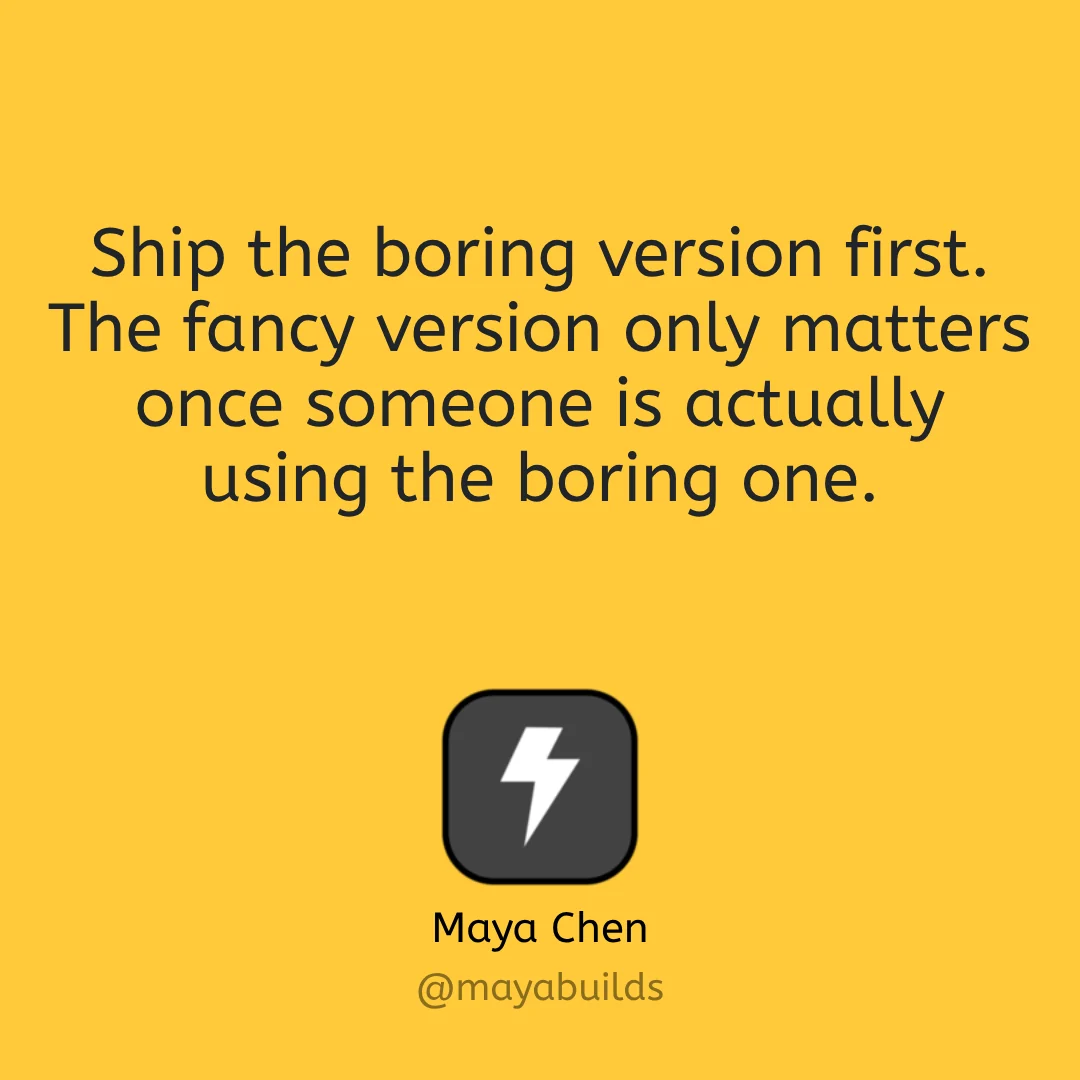
Here's the card we used for every test in this post, rendered from a real imejis design:
Why a signed URL breaks a scheduled post
A signed URL is a private link with an expiry baked into it. It's the right choice for a file someone opens right away. It's the wrong choice for anything that fetches the image later, because the link can die before the fetch happens.
We proved it in n8n with two identical workflows. Each one renders the card, waits 90 seconds (standing in for "the post goes out later"), then downloads the image the way Facebook or a scheduler would. The only difference is the render step's delivery mode.
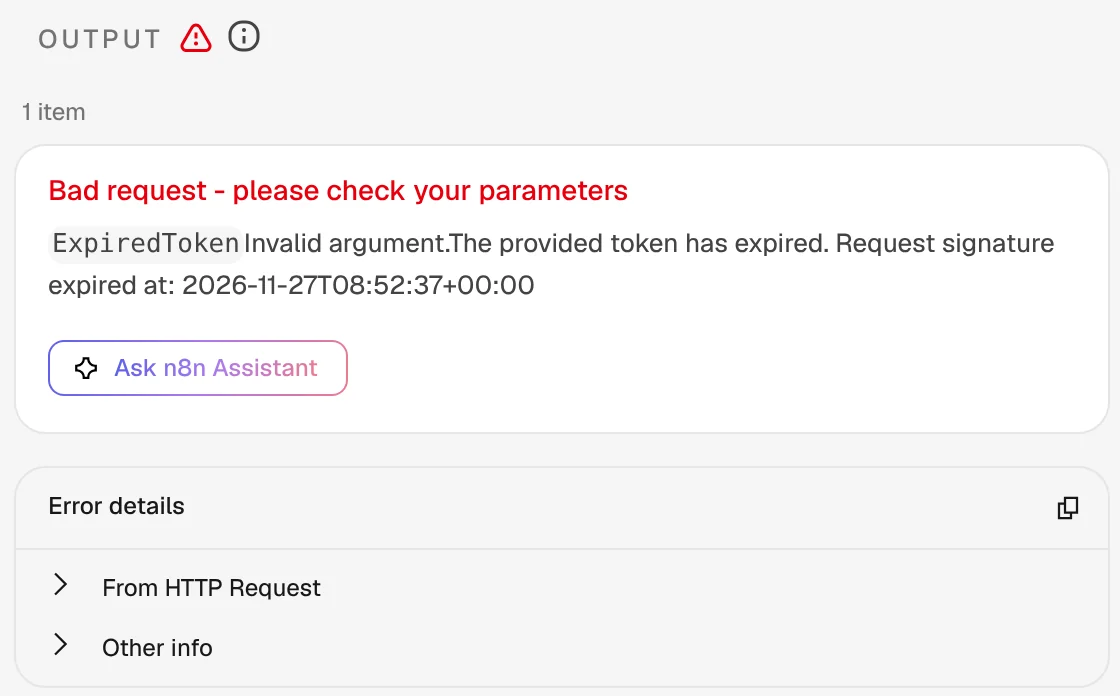
The first asks for a signed URL that lives for 1 minute (delivery=signed&expiresIn=1). By the time the fetch runs, the link has expired:

The fetch node's error is the one you'd see in a real failed post:
The second workflow asks for delivery=hosted. Same wait, same fetch, and it downloads the 80.5 kB card without complaint:

Real schedules wait much longer than 90 seconds. imejis signed URLs last 60 minutes by default, and you can stretch them to 7 days with expiresIn (we tried asking for more; it's capped at 7 days). A post scheduled for next week needs a hosted URL.
Which delivery mode should n8n use?
imejis returns a render three ways. Pick by what the next node reads, not by habit.
delivery | What n8n gets | Use it for |
|---|---|---|
| none (stream) | The image file itself | File-reading nodes: LinkedIn, Facebook binary upload |
hosted | A permanent public URL | Anything that downloads later: Instagram, schedulers |
signed | A private URL that expires | A link a person opens within the hour |
delivery always goes on the query string, never in the JSON body. In the body it's ignored, and you get raw image bytes back when you expected a URL.
Fix 1: send LinkedIn the image file
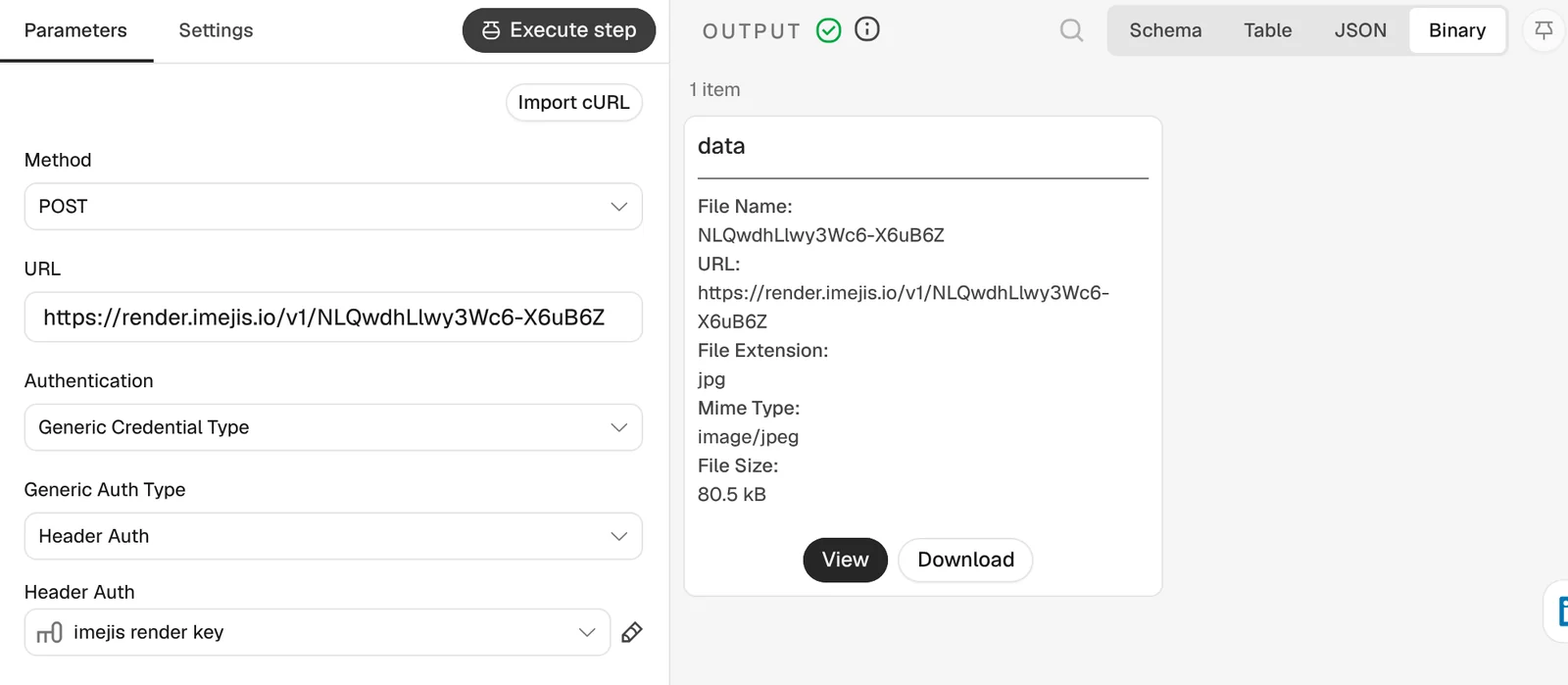
The n8n LinkedIn node reads the image from binary data, not from a URL, so the render step has to hand over a file. The whole flow is: Trigger → HTTP Request (render, Response Format: File) → LinkedIn (Input Binary Field: data).
In the HTTP Request node, call the render URL without a delivery parameter, and under Options, Response, set Response Format to File. The output becomes a binary item named data:
Then open the LinkedIn node, choose Post, Create, set Media Category to Image, and type data into Input Binary Field. The file from the render step flows straight in:
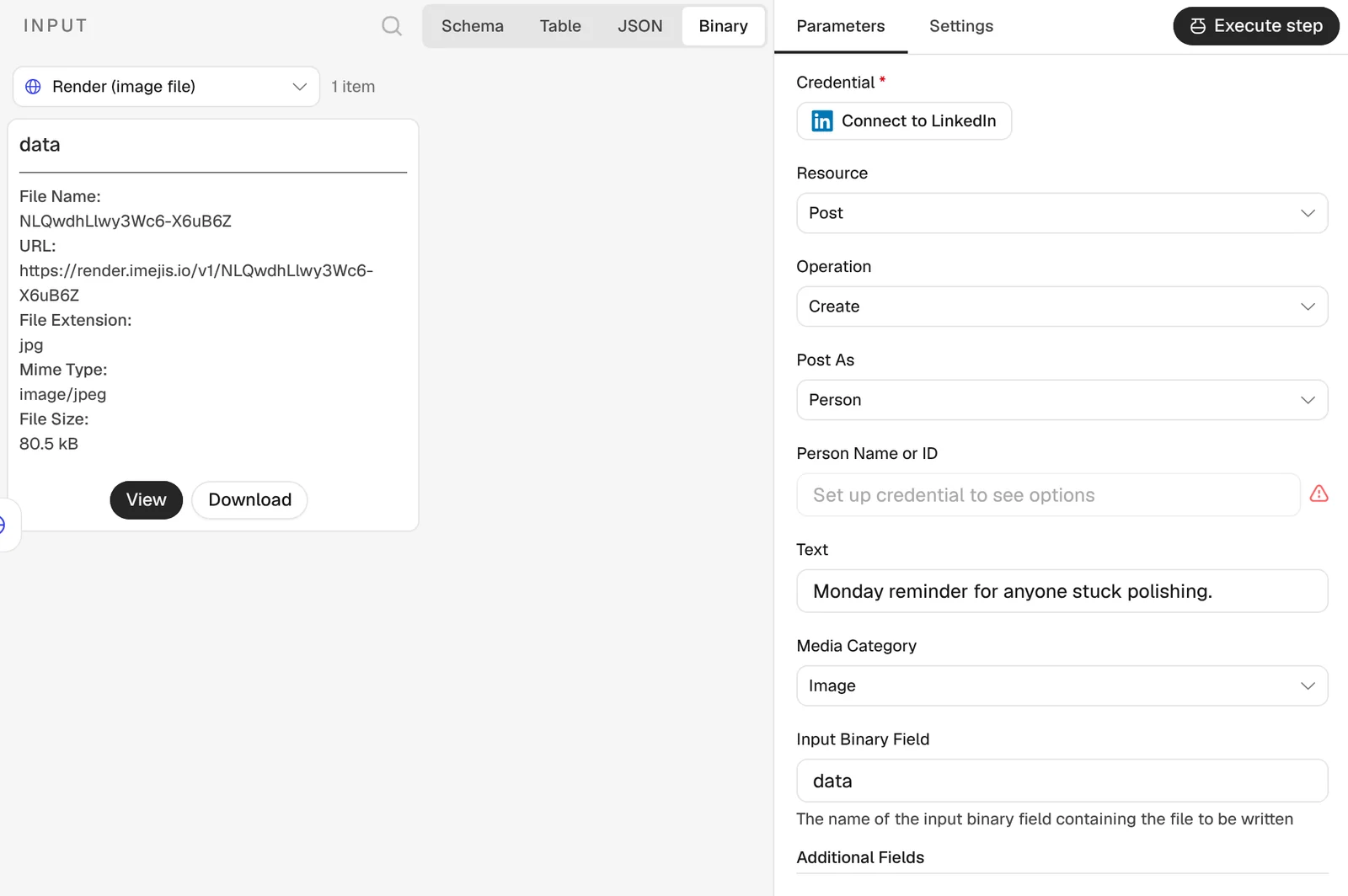
Our test instance had no LinkedIn account connected, so the screenshot shows the credential still to be set. With one connected, this node posts the card. The Facebook Graph API node works the same way: switch on Send Binary File and point it at data.
Fix 2: give fetchers a hosted URL
When the next step downloads the image itself, it needs a URL that's public and still alive at fetch time. The flow is: Trigger → HTTP Request (render with delivery=hosted) → the fetching step, reading {{ $json.url }}. The render call looks like this:
curl -X POST "https://render.imejis.io/v1/YOUR_DESIGN_ID?delivery=hosted" \
  -H "dma-api-key: YOUR_API_KEY" \
  -H "Content-Type: application/json" \
  -d '{ "content.text": "Ship the boring version first.", "name.text": "Maya Chen" }'
The response is JSON with the link in url. In n8n, the next node reads it as {{ $json.url }}: Facebook's url field, Instagram's image_url, or a scheduler's import-by-URL call. For a scheduler walkthrough built on exactly this, see adding branded images to Postiz automatically.
Fix 3: keep signed URLs for links people open now
Signed URLs still earn their place. Use one when a person clicks the link soon after the render, like an image in a Slack message or a one-off share, and you don't want a permanent public file. Set expiresIn (minutes) comfortably past the moment it's used. Just don't put one in front of anything that fetches on a schedule.
Can an AI agent do this instead?
If you'd rather not wire nodes at all, imejis ships an MCP server. An agent in Claude, Cursor or another MCP client renders the card from your design and returns a hosted URL, ready for the posting step. Paired with a scheduler's own MCP, it can hand that URL over and schedule the post. imejis does the rendering; the network or scheduler does the posting. We ran that whole loop in our AI agent social media images guide, and the agent connect hub sets up the imejis side.
Common issues and fixes
- LinkedIn says no binary data found. The render node returned JSON, not a file. Remove
deliveryand set Response Format to File, then check the Input Binary Field name matches (databy default). - The post goes out with no image. The network fetched an expired signed URL. Switch that render to
delivery=hosted. - Instagram or Facebook can't reach the image. The URL points at a private address, such as a self-hosted n8n on localhost. Those services fetch from the public internet, so use a hosted imejis URL.
- You get image bytes when you expected a URL.
deliveryis in the JSON body. Move it to the query string. - 401 from the render call. The key went out as a bearer token. The render endpoint reads only the
dma-api-keyheader.
How much does it cost?
Each card is one render on your imejis plan, whatever the delivery mode. A daily post is about 30 renders a month, well inside the free tier's 100 renders. n8n is free to self-host. See pricing for larger plans.
Next steps
Look at your posting node first: if it asks for a binary field, render a file; if it asks for a URL, render a hosted one. For the full render node setup with screenshots, see generating images in n8n from a template, and for webhook-driven flows, the n8n image automation guide. The n8n LinkedIn node docs cover connecting an account, and the render API docs explain every delivery option.