
Inline Search for Icons, Images & Emojis
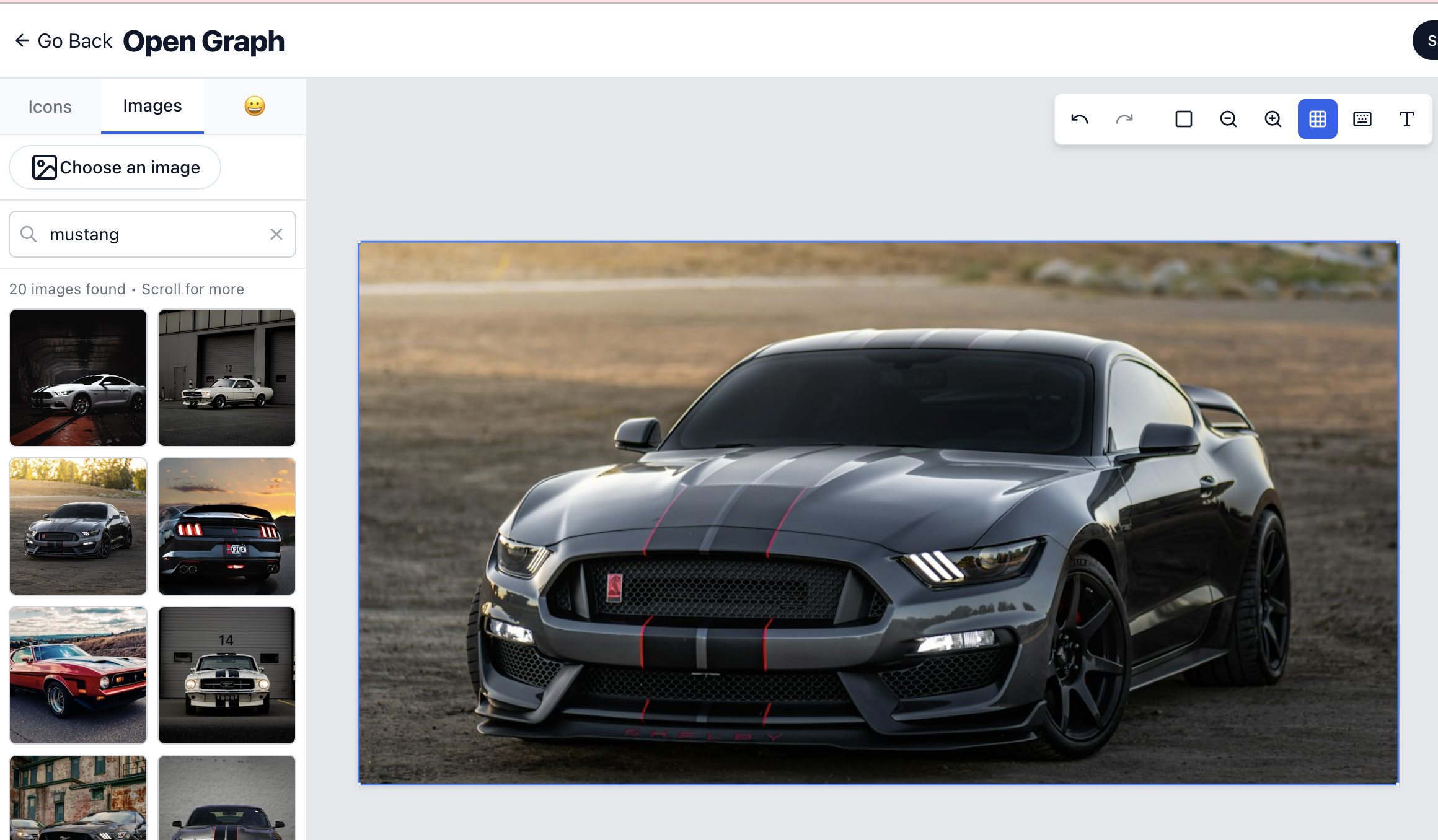

Inline search for icons images and emojis design faster without leaving the editorInline Search for Icons, Images, and Emojis - Design Faster Without Leaving the Editor
🚀 We've made designing on Imejis.io even faster.
You can now search and add icons, Unsplash images, and emojis directly inside the editor, with no backend setup, no extra uploads, no switching tabs.
This update removes one of the biggest friction points in the design workflow and helps you stay fully focused on creating.
Just search → click → design.
Faster workflow, consistent visuals, and a smoother creative experience for every user.
How it worksHow It Works
-
Open the Search Panel: Click the search icon in the editor toolbar to open the inline search panel.
-
Choose Your Content Type: Select from:
- Icons - Search through thousands of icons
- Unsplash Images - Browse high-quality stock photos
- Emojis - Find the perfect emoji for your design
-
Search and Add: Type your search query and instantly see results. Click any item to add it directly to your canvas.
-
Stay in Flow: No need to switch tabs, download files, or upload images. Everything happens right where you're designing.
Key featuresKey Features
- Instant Search - Real-time search results as you type
- No Uploads Required - Direct integration with icon libraries and Unsplash
- No Backend Setup - Everything works out of the box
- One-Click Insert - Add content directly to your canvas
- Multiple Content Types - Icons, images, and emojis all in one place
- Stay Focused - No context switching or tab juggling
BenefitsBenefits
- Faster Workflow - Add visual elements in seconds instead of minutes
- Consistent Visuals - Access to curated, high-quality content
- Smoother Experience - Everything you need is right where you're working
- Reduced Friction - Eliminate the back-and-forth between tools
- Better Focus - Stay in your creative flow without interruptions
Use casesUse Cases
Social media postsSocial Media Posts
Quickly add relevant icons, emojis, or background images to make your posts more engaging.
Marketing materialsMarketing Materials
Find the perfect stock photo or icon to complement your marketing copy without leaving the editor.
Product mockupsProduct Mockups
Add icons and images to showcase product features or create realistic mockups.
PresentationsPresentations
Enhance slides and presentations with relevant visuals found through inline search.
Blog graphicsBlog Graphics
Create blog post graphics with emojis, icons, and images without leaving the editor.
Excited to keep building features that make Imejis.io the simplest and fastest way to design. ✨