Signature Image API: One Design, Every Name

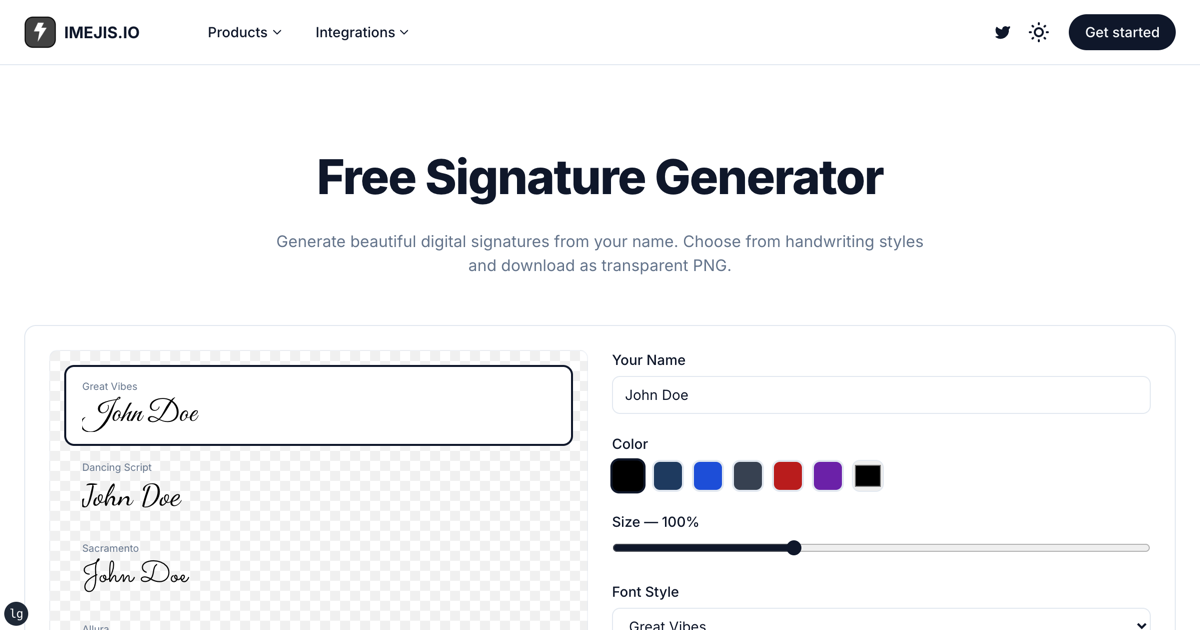
The signature generator turns a typed name into a handwritten-looking signature you can download as a transparent PNG. That solves signing one thing once.
It does not solve the job underneath it, which is usually a stack of certificates, offer letters or receipts that each need the same signature next to a different name. Downloading one PNG and pasting it into 300 documents is the manual work the tool was supposed to remove.
What the tool actually gives youWhat the tool actually gives you
Pick a name, a style and a colour, and the tool draws it on a canvas and hands back a PNG through the browser's canvas export. Specifically:
- 12 handwriting fonts: Great Vibes, Dancing Script, Sacramento, Allura, Alex Brush, Pacifico, Caveat, Satisfy, Kaushan Script, Permanent Marker, Homemade Apple and Reenie Beanie.
- 6 ink colours, including the dark blue that reads as a real pen.
- A transparent PNG at 3x resolution, so it stays sharp when placed.
Everything happens in your browser. Nothing is uploaded, and there is no account.
Where it stopsWhere it stops
The tool renders one signature, for one name, on demand. The moment the job is "every graduate gets a certificate" or "every new hire gets an offer letter", you need the opposite: one signature held constant while the other fields change.
That is the same template problem, solved from the other side.
The same fonts from the render apiThe same fonts, from the render API
All 12 of the tool's fonts are in the render font catalogue, which holds
1,518 families. So the signature you chose in the browser is reproducible
server-side: set the text layer's fontFamily to the same family name and the
output matches.
A certificate design with four fields marked dynamic (recipient, course,
signature and issued) becomes a single request:
{
  "recipient.text": "Marcus Oyelaran-Whitfield",
  "course.text": "has completed the Advanced Workflow Automation course",
  "signature.text": "Priya Raman",
  "issued.text": "29 October 2026"
}
The signature layer is set in Great Vibes at 56px in #1e3a5f, the same dark
blue the tool offers. It stays fixed while the recipient changes, which is
exactly the arrangement you want: the signature is part of the template, not
part of the data.
Long names are the thing that breaks certificatesLong names are the thing that breaks certificates
"Marcus Oyelaran-Whitfield" is 25 characters. At the design's 62px it would run past the border.
Set minFontSize and maxFontSize on the recipient layer and the renderer
shrinks the name to fit instead of overflowing. Short names stay large, long
names step down. You stop having to look at every certificate before issuing it.
Getting a pdf insteadGetting a PDF instead
A certificate is usually a document, not a social image. Append ?format=pdf:
https://render.imejis.io/v1/<designId>?format=pdfThe response comes back as application/pdf, one page, at the design's
dimensions. Single-page is the shape certificates, offer letters and receipts
actually take, and it prints without anyone resizing anything.
The honest caveatThe honest caveat
A signature set in a script font is a picture of a signature. It is not evidence that a particular person signed a particular document, and it carries none of the audit trail that an electronic signature service provides.
That is fine for what this is good at: certificates, badges, course completions, internal recognition, receipts. For a contract that has to survive a dispute, use a real e-signature provider. Do not let a nice-looking script font talk you out of that distinction.
Going furtherGoing further
- The certificate maker builds the surrounding design if you are starting from nothing.
- The text component reference lists every property you can override per render, including the auto-fit range.
- Authentication and output formats are in the API docs, and render allowances are on the pricing page.