Dynamic Placeholder Image API: Branded, Not Generic

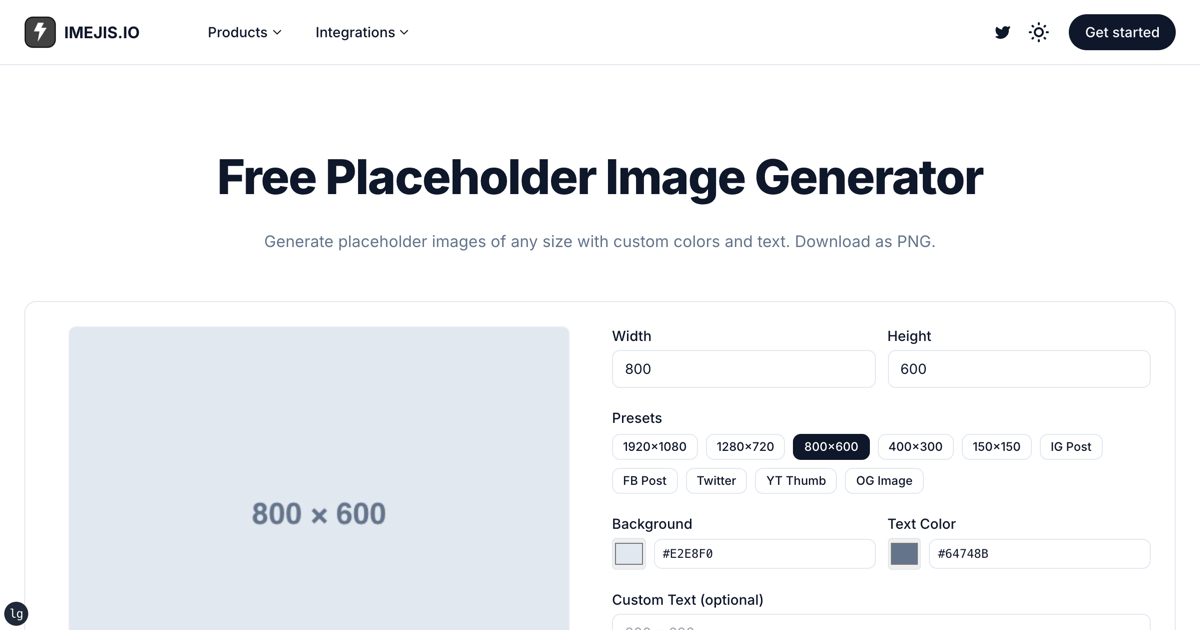
Search for a dynamic placeholder image api and you'll find services that hand
back a grey box from a URL like /600x400. Our
placeholder image generator does the same job in
your browser: pick a size, a colour and some text, download a PNG. Ten presets
cover the usual suspects, from 150x150 up to 1920x1080, plus OG image and
Instagram post sizes.
That's the right tool for a grey box, and it doesn't touch your quota. This post is about the other case, where the placeholder has to look like your actual product, and what happens when you try to serve those from a render API.
Two things a render url will not doTwo things a render URL will not do
Worth getting these out of the way, because most "placeholder API" advice ignores both.
Size is not a url parameterSize is not a URL parameter
Generic placeholder services encode dimensions in the path. You ask for
/600x400 and you get 600x400. A render URL doesn't work that way, because an
imejis design has its dimensions fixed when you create it.
Appending ?width=600&height=400 to a render URL doesn't resize anything. The
response is byte for byte the same image you get without them, because those
parameters address no field and are ignored.
If you need several sizes, that is what variations are for: add the sizes to the
design, then pick one per request with ?variation=<id>. It's a short, fixed
list you defined, not arbitrary numbers from a URL.
Every load costs a renderEvery load costs a render
This one bites. A render URL renders fresh on every request. Drop it
into an <img> tag on a page you refresh fifty
times while styling it, and that is fifty renders against your quota, for an
image that never changed.
Generic placeholder services are free and unmetered. A render API isn't, and it isn't trying to be.
Where a render url is the better answerWhere a render URL is the better answer
The case it wins is the one where "placeholder" is the wrong word, because the image isn't a stand-in. It's real, branded output with provisional data.
- Demo and staging environments that should look like the product, not like a wireframe. Seed twenty product cards that match your real template.
- Design review and screenshots. Stakeholders respond to something that looks shipped. A grey box invites comments about the grey box.
- Empty states and first-run screens, where the sample content is part of the design and ships to real users.
In all three, the image is generated once and reused. That changes the cost picture completely.
Doing it without burning quotaDoing it without burning quota
Render once, store the result, serve the stored URL:
https://render.imejis.io/v1/<designId>?delivery=hostedThat returns JSON with a permanent public url rather than raw bytes. Put that
URL in your markup. Every later page load fetches a stored file and costs
nothing.
Vary the content per image with dot-path parameters, which do work:
?title.text=Quarterly%20report&category.text=FINANCEEach distinct combination is a render. The same combination served from a stored URL afterwards is not.
The cost concretelyThe cost, concretely
Twenty seeded screens for a staging environment, each rendered once and stored, is twenty renders. The free tier is 100 renders a month, so that fits with room to spare, and paid plans start at $14.99 for 1,000 (as of November 2026). Check the pricing page for current allowances.
The same twenty images served from live render URLs on a page a developer refreshes all afternoon is a different number entirely, and it's why the store-once pattern above isn't optional advice.
Getting startedGetting started
Build the design at the size you need, mark the text layers dynamic, then render
each variant once with ?delivery=hosted and keep the URLs.
For a genuine grey box, the placeholder image generator is free, instant and does not touch your quota. Use the right one for the job.
The component reference lists every property you can override per render, and the API docs cover authentication and output formats.