
AI Design Assistant
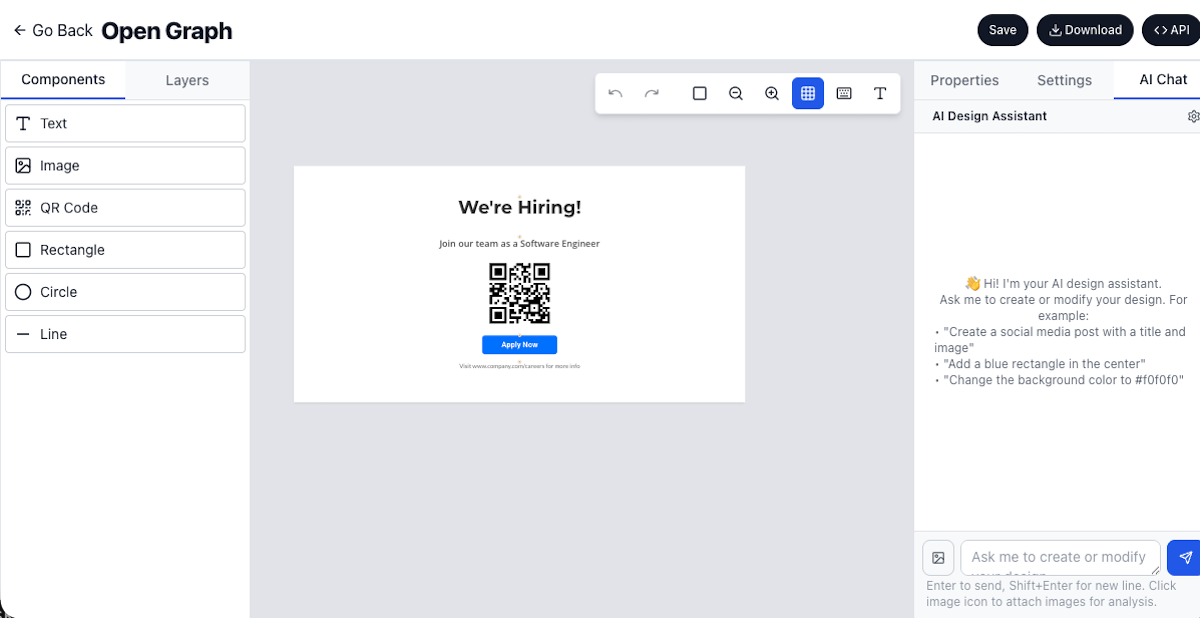

Ai design assistant create and update designs with aiAI Design Assistant - Create and Update Designs with AI
We're excited to introduce the AI Design Assistant to Imejis.io! Now you can create new designs or update existing ones simply by describing what you want in natural language. No need to manually add elements, adjust layouts, or search for the right components. Tell the AI what you need and it handles the rest.
How it worksHow It Works
-
Open AI Assistant: Click the AI Assistant button in the Imejis.io editor.
-
Describe Your Design: Type your request in plain English, such as:
- "Create a social media post for a coffee shop sale"
- "Add a blue background and center the text"
- "Change the font to bold and increase the image size"
- "Create a business card with my contact information"
-
Review and Apply: The AI generates or updates your design based on your prompt. Review the changes and apply them to your canvas.
-
Iterate: Refine your design by asking follow-up questions or requesting additional modifications.
Key featuresKey Features
- Natural Language Processing: Describe designs in plain English, no technical jargon required
- Create from Scratch: Generate complete designs from text descriptions
- Update Existing Designs: Modify current designs by describing the changes you want
- Context-Aware: AI understands your design context and applies changes intelligently
- Multiple Design Types: Works with social media posts, business cards, flyers, banners, and more
Use casesUse Cases
Rapid prototypingRapid Prototyping
Generate design concepts quickly by describing your vision. Perfect for brainstorming sessions and initial mockups.
Content updatesContent Updates
Update existing designs for new campaigns, events, or promotions by simply describing the changes needed.
Brand consistencyBrand Consistency
Maintain consistent styling across multiple designs by asking the AI to apply your brand colors, fonts, and style guidelines.
Ab testingA/B Testing
Quickly create design variations by asking the AI to modify colors, layouts, or text styles for testing different approaches.
LocalizationLocalization
Adapt designs for different languages and regions by requesting text translations and cultural adjustments.
Accessibility improvementsAccessibility Improvements
Ask the AI to improve contrast, increase font sizes, or adjust layouts for better accessibility compliance.
Template customizationTemplate Customization
Start with a template and use AI to personalize it with specific content, colors, or layout adjustments.
Bulk design creationBulk Design Creation
Generate multiple design variations for different products, events, or campaigns using descriptive prompts.
Design refinementDesign Refinement
Polish existing designs by requesting improvements to spacing, alignment, color harmony, or visual hierarchy.
Content refreshContent Refresh
Update seasonal designs, promotional materials, or time-sensitive content by describing the new requirements.
BenefitsBenefits
- Save Time: Create and update designs in seconds instead of minutes
- Lower Learning Curve: No design skills required, just describe what you want
- Consistent Quality: AI applies design best practices automatically
- Iterate Faster: Make changes instantly without manual element manipulation
- Accessibility: Makes professional design creation available to everyone
Ready to experience AI-powered design creation? Sign up for Imejis.io and start creating designs with the power of AI!
Explore Imejis.io Templates and enhance them with AI assistance.