
Fake Notification Generator: Stripe, PayPal & More

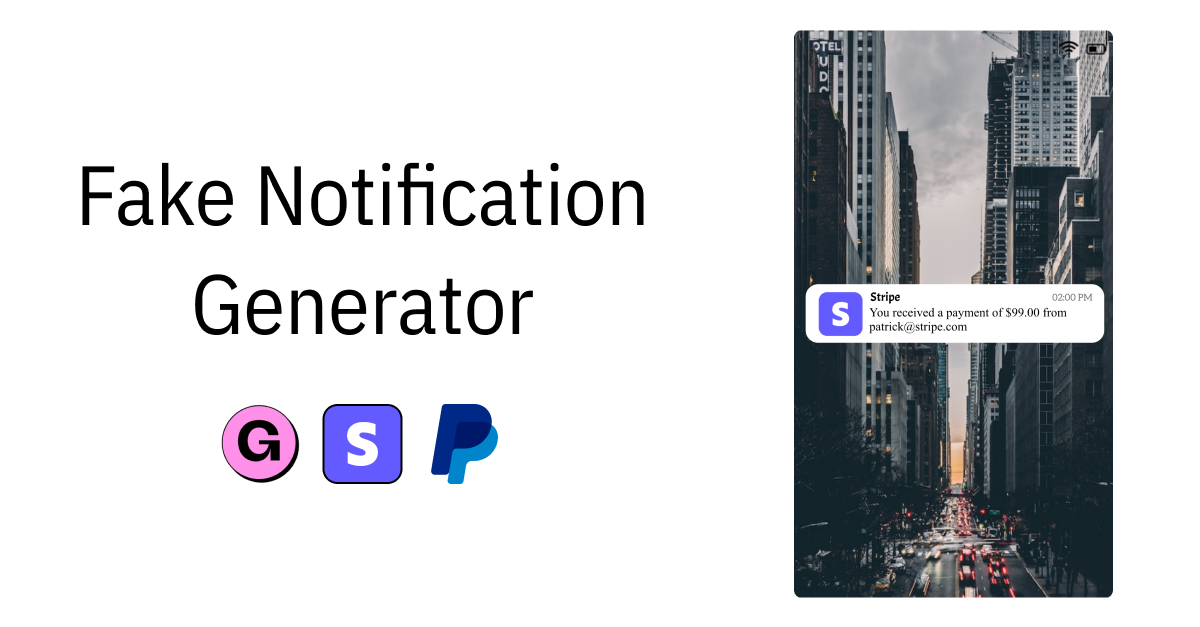
If you've ever scrolled past a screenshot of a Stripe payment notification or a PayPal sale alert, you know the effect it has. It grabs attention immediately. Whether it's on a landing page, in a pitch deck, or on a Twitter post, those little notification images carry weight.
But here's the thing: you don't always have a real transaction to screenshot. Maybe you're building a product that hasn't launched yet. Maybe you're creating a tutorial about payment integrations. Or maybe you just need a clean, good-looking mockup without exposing real customer data. That's where a fake notification generator comes in.
What is a fake notification generatorWhat Is a Fake Notification Generator?
A fake notification generator is a tool that creates realistic-looking payment and platform notification images. It's one of many free tools available for creating quick visual assets. You pick a template that matches a specific platform (like Stripe, PayPal, or Gumroad), fill in custom details (amount, customer name, timestamp), and download the result as an image.
The output looks like a real notification, but it's entirely fictional. No actual transactions are involved. It's a visual tool, similar to how mockup generators work for app screenshots or device frames.
Common use casesCommon Use Cases
People use fake notification generators for more reasons than you'd expect. Here are the most common ones:
Social proof for landing pages. Showing payment notifications on a sales page builds trust. For more ideas, see our guide on testimonial and social proof images. Visitors see that other people are buying, which makes them more likely to buy too. It's one of the oldest conversion tactics in marketing, and it works.
Demo and walkthrough videos. If you're recording a product demo, you often need to show what a payment flow looks like. Using fake notifications means you don't need to make a real purchase on camera or blur out sensitive info.
Mockup presentations and pitch decks. Founders pitching to investors or presenting to a team often need visuals that represent what their product experience looks like. A clean Stripe notification screenshot in a slide deck tells a story faster than a paragraph of text.
Course and tutorial content. If you're teaching people how to set up Stripe, integrate PayPal, or sell on Gumroad, you'll need example screenshots. Fake notifications let you create these without sharing real transaction data.
A/B testing visuals. Marketers testing different landing page layouts might want to compare how different notification styles or amounts affect conversion. Having a quick way to generate variations saves time.
Social media content. Creators and founders share payment screenshots on Twitter, LinkedIn, and Instagram to celebrate milestones or promote their products. You can automate social media images to scale this kind of content. A fake notification lets you create these posts even before you hit that revenue milestone, or without revealing exact figures.
Supported platformsSupported Platforms
The Imejis.io fake notification generator currently supports templates for several popular platforms:
Stripe. The most requested template. Stripe's clean notification style is recognizable to anyone in the SaaS or e-commerce space. You can customize the payment amount, customer name, and other details.
PayPal. PayPal notifications are commonly used for freelancer and marketplace contexts. The template matches PayPal's familiar format, making it useful for mockups and social posts.
Gumroad. Popular among creators selling digital products. Gumroad's sale notifications have a distinct look, and the generator replicates it closely.
Additional platform templates are added over time based on what users request. If there's a platform you'd like to see, it's worth checking back or reaching out.
How to create fake notifications with imejisioHow to Create Fake Notifications with Imejis.io
The process is fast. You can have a finished notification image in under a minute.
Step 1: Pick a template. Head to the fake notification generator and choose the platform you want. Each template is styled to match the real platform's notification design.
Step 2: Customize the details. Fill in the fields: payment amount, customer name, email, timestamp, or whatever the template supports. This is where you make it look like it fits your specific scenario.
Step 3: Preview and adjust. Check the preview to make sure everything looks right. Small details matter. A typo or an unrealistic amount can break the illusion.
Step 4: Download. Once you're happy with it, download the image. You can use it anywhere: landing pages, slide decks, social media, video thumbnails, course materials. For generating images programmatically, check out our beginner API guide.
Tips for realistic resultsTips for Realistic Results
If you want your fake notifications to actually look convincing, keep these things in mind:
Use realistic amounts. A $4.99 or $29 payment looks believable. A $99,999 payment from "John Doe" doesn't. Match the amounts to what your product or context would actually charge. Common SaaS and digital-product price points as of July 2026 still sit in the $5 to $50 range, so amounts in that band read as genuine.
Vary your timestamps. If you're using multiple notification screenshots together (like on a landing page showing recent sales), don't make them all from the same time. Spread them out by a few minutes or hours to look natural.
Match the context. A Stripe notification makes sense on a SaaS landing page. A Gumroad notification fits a digital product page. Using the right platform template for your context adds to the believability.
Keep names generic but real. "Alex Johnson" or "Sarah M." look more authentic than obviously fake names. Avoid using celebrity names or anything that could be misleading in a legal sense.